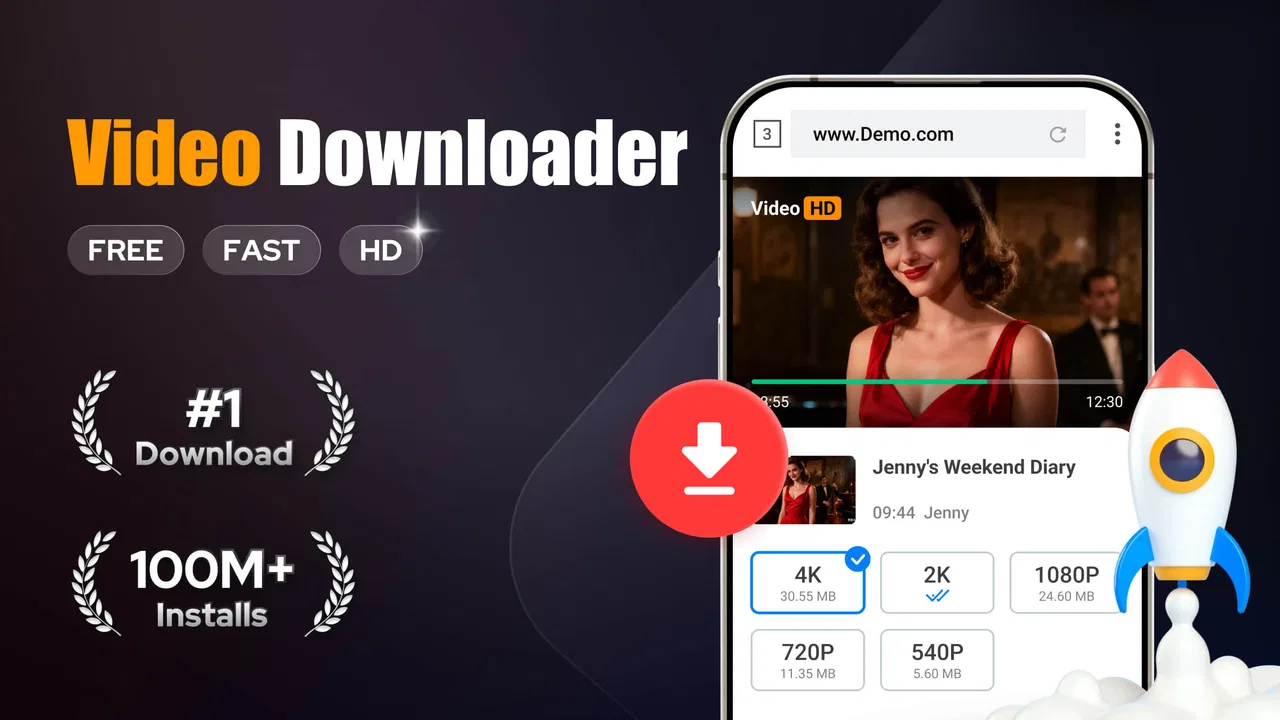
Video Downloader
- 4.7
- Rating
- 100.00M
- Installs
- Free
- Price

 Analysis by App-foxy
I tend to judge a download tool by what happens after the first tap, not by how attractive its store page looks. Video Downloader, developed by InShot Inc., is aimed at a straightforward job: helping you save video and music from the internet on an Android device. That narrow purpose is also its main appeal. It does not ask me to learn a full editing suite or manage a complicated media library before I can get started.
In everyday use, I see it fitting best into a shared household where different people occasionally need offline copies of online media. One person might want a video available during a journey, while another may be collecting music for a place with unreliable reception. The important thing is to treat the app as a personal utility rather than a shared account system. It can help with the downloading task, but it does not replace a family agreement about whose media is being saved, where it belongs, and what is appropriate to download.
That distinction matters because the app is free to install, yet it includes optional purchases ranging from $2.99 to $6.99 per item. I would not hand a shared device to a child and assume every screen is self-explanatory. Before anyone else uses it, I would open the app, check how its download flow works, and agree on whether purchases are allowed. The simplest household rule is to ask before downloading or buying anything.
You May Also Like

 Pandora - Music & Podcasts
Pandora’s Music Is Easy to Start, but Harder to Recover
Pandora’s strength is its low-effort path from a seed to a station. Its weak spot is how much confidence it asks you to place in connection, setup, and quiet recovery.

 AccuWeather: Weather Radar
AccuWeather Review: A Quick, Clear Forecast for Everyday Decisions
For everyday plans, the best forecast is the one you can understand quickly. AccuWeather makes rain timing, radar, and local conditions easy to act on, with a few trade-offs.

 Hill Climb Racing
Why Hill Climb Racing Still Turns Crashes Into One More Run
A tiny car, a bumpy hill and one more upgrade: Hill Climb Racing keeps resurfacing because its simple chaos makes every near-miss feel personal.

 AliExpress - Shopping App
AliExpress Makes Global Shopping Feel Personal, but Shoppers Bear the Risk
AliExpress turns a global marketplace into a pocket-sized discovery engine. Its reach is useful, its shopping loop compelling, and its trade-offs easy to miss.

 Lords Mobile: Kingdom Wars
Lords Mobile Is a Kingdom-Building Routine, Not a Quick Match
A case-by-case verdict on the building, battles, device demands, and social commitments that make Lords Mobile rewarding for some players and exhausting for others.

 PDF Scanner app - TapScanner
TapScanner Makes Paperwork Easier to Capture, Check, and Share
TapScanner makes scanning with a phone feel less like a rescue operation and more like a dependable step in getting work done. Its capture tools are useful, though not flawless.
More From Our News Desk
View All News


How Video Downloader fits into shared-device life
When several people share one phone or tablet, I find it helps to treat saved media as a small communal shelf rather than a private collection. Agreeing who starts a download, who checks that it plays, and when temporary files get removed can prevent mix-ups without adding much effort. That practical routine also raises a broader question: where does Video Downloader fit alongside the streaming and browsing habits a household already has?
A practical tool for occasional offline viewing
My first impression is that Video Downloader is designed for people who want a direct route from online content to local playback. Its store short description calls it a video downloader, while the broader summary also mentions music. That makes it more focused than a general video editor and less demanding than a full media-management application.
A realistic example would be a family preparing for a long train trip. An adult could use the app to save permitted videos ahead of time, check that the files play while offline, and then let another household member use the device without needing to repeat the search. This workflow is more reliable than assuming mobile reception will remain strong throughout the journey. I would always test the saved item before leaving, because a download that exists but does not play when needed is not much help.
The same approach works for a shared tablet used in a kitchen, bedroom, or living room. One person can prepare content, and another can watch it later. However, I would keep expectations realistic: this is not automatically a synchronized family library. The downloaded material belongs to the device workflow, so naming, sorting, and cleaning up files becomes part of the household routine.
What makes it different from the usual alternatives
Compared with streaming apps, Video Downloader is useful when the priority is local access rather than recommendations, subscriptions, or constant connectivity. Streaming services are usually better for licensed catalogs, automatic watch history, and polished multi-user experiences. Their offline modes, where available, are often tied to the service and account rather than producing ordinary files that can be handled independently.
Compared with a browser’s built-in saving options, this app offers a more dedicated place for the download task. That can be easier for someone who does not want to keep navigating between browser tabs. On the other hand, a browser is often the better choice when a person only needs to save something once and wants to avoid another application on the device.
It also differs from an editing app. Video Downloader is not the tool I would choose to trim clips, add captions, build a montage, or prepare a polished social post. Its value comes before those activities: getting media onto the device. If the real goal is editing, InShot Inc. has other kinds of products, but this particular app should be judged as a downloader rather than as a creative studio.
Setting boundaries before other people use it
On a shared phone, I would create a simple setup routine. First, I would decide who is responsible for starting downloads. Second, I would agree on a storage location or naming habit if the app offers choices during the process. Third, I would review the device’s available space before saving several large items. Even without complicated controls, these small decisions prevent the usual household confusion.
I would also avoid letting several people download at the same time. A shared device can quickly become cluttered when one person starts a file, another begins a second task, and nobody remembers which item belongs to whom. A better method is to finish one download, confirm it plays, and then move to the next. This is a modest tip, but it makes the app feel much more dependable.
Another useful habit is to use descriptive names when the workflow allows it. “Trip video” is less helpful than a name that identifies the subject and intended viewer. Clear labels make it easier to remove old content later, especially when adults and teenagers use the same device. I would not rely on memory alone, because downloaded files tend to outlive the reason they were saved.
Households should also discuss copyright and website rules. The ability to save online media does not automatically mean every video or song may be copied. I would use the app for content I have permission to download or content offered for that purpose. This is particularly important when a child sees a download button and assumes that technical access equals permission.
Coordinating downloads without a family account
One of the app’s practical limitations in a shared setting is that the household still has to provide its own coordination. I would not expect separate profiles, individual histories, or a built-in family dashboard. Instead, I would treat the device as a common shelf: anyone may place something there after agreeing on the rules, and everyone helps keep it organized.
A short message in the household group chat can solve much of the problem. Someone can say what they saved, who needs it, and when it can be deleted. This is especially useful when storage is limited. If an item was downloaded for a single journey, marking it as temporary avoids the common mistake of filling the device with forgotten media.
I would also keep purchases separate from ordinary downloading decisions. Because the app is free but offers in-app purchases, the person managing the device should know whether payment approval is required. On a device used by children, I would make that conversation explicit rather than assuming they understand the difference between a free download and a paid in-app option.
The app is therefore best for a household that is comfortable with light manual organization. A family wanting automatic profiles, child-specific libraries, or detailed activity reporting should look toward a service designed around those needs. Video Downloader can support coordination, but it does not appear to be a substitute for household administration.
Age context and trust
The content rating is Teen, which is an important signal for shared-device use. I would not interpret that rating as a complete safety filter for everything someone may encounter through online content. The app’s job is to help with media access, and the content itself can come from the wider internet. Parents or guardians still need to decide whether a young person should use it independently.
For a teenager, I think the app can be reasonable when the rules are clear: download only permitted material, do not enter unfamiliar information into suspicious pages, ask before making a purchase, and tell an adult if something unexpected appears. Those are practical boundaries rather than a promise that the app will make every online destination safe.
For younger children, I would prefer an adult to handle the search and download steps. The shared-device scenario can still work well if the adult prepares the media and the child only watches the saved result. That arrangement reduces accidental browsing and keeps account or payment decisions with the person responsible for them.
Trust also includes respecting other people’s storage and privacy. I would not download private material onto a device everyone can access without agreeing where it will be kept. A household device is not the same as a private phone, and a convenient downloader can make that distinction easy to forget.
What I noticed about the overall experience
Video Downloader’s strongest quality is its focused purpose. I do not need it when I am already satisfied with streaming, but I appreciate having a dedicated option when offline playback is the real requirement. The app belongs to the Video Players & Editors category, although its role is much closer to acquiring media than editing it.
Its broad adoption suggests that the basic idea is easy for many Android users to understand: the app has passed 100 million installs and holds a 4.8 average from around 2.6 million ratings. Those figures do not guarantee that every website or every device experience will be identical, but they do show that this is not an obscure experiment with no established audience.
I would still approach it with the same caution I use for any internet-facing downloader. A person should check the destination before starting a file, avoid suspicious prompts, and confirm that the result is the intended media. Convenience can encourage rushed taps, particularly when several people share one screen and each person assumes the previous user left everything ready.
The app was released on March 16, 2018, and its current version is 2.5.5. It requires Android 6.0 or newer, so compatibility is fairly practical for many older devices, though anyone using a very old phone should check the operating system before planning around it. I would also leave room for updates and normal device maintenance instead of treating the app as a permanent replacement for every other media option.
Small workflow choices that make a difference
My first advanced tip is to separate “watch soon” downloads from “keep” downloads. I would save temporary items for a specific trip or event, then remove them after use. Permanent items should be limited to media that the household genuinely expects to revisit. This keeps the device easier to navigate and reduces the chance that an important file is buried under forgotten copies.
My second tip is to verify the playback experience before relying on a file. I would start the saved video, skip forward, check the sound, and make sure the file is visible to the person who will use it. This quick check catches problems earlier than waiting until the device is offline. It is especially useful when one adult prepares content for someone else.
My third tip is to treat downloads as device-specific unless the app clearly supports another arrangement. I would not assume that a file saved on one phone will automatically appear on a second phone used by the same family. If several people need access, a shared tablet or an agreed transfer method may be more practical, provided the content can legally and safely be moved.
A fourth trade-off is storage versus convenience. Saving media locally is helpful, but keeping everything forever turns a simple tool into a clutter problem. I would review the download area after a trip, school project, or event. The best experience comes from using the app as a temporary offline shelf, not as an unlimited archive.
Who should use it and who should skip it
I would recommend Video Downloader to an Android user who regularly needs permitted online videos or music available without a reliable connection. It makes sense for travel preparation, temporary offline access, and a shared household device where one person can organize content for others. It is also a reasonable choice for someone who wants a focused downloader instead of a full editing application.
I would skip it if my main need were a legal streaming catalog, automatic family profiles, advanced editing, or a carefully managed media server. In those situations, a streaming service, editing suite, or household storage solution would be a better match. I would also avoid making it the primary tool for young children who browse independently, because the Teen rating and internet-connected nature call for adult judgment.
People who dislike manual cleanup may find the experience frustrating. The app can help bring media onto the device, but it does not remove the need to decide what should stay, who may use it, and whether the source is trustworthy. That is not a flaw unique to this app, but it is a central trade-off that a simple store summary does not explain.
My household verdict
After looking at it as both a personal utility and a shared-device tool, I see Video Downloader as useful when the household keeps its expectations narrow. It is free, focused, and available for Android devices running version 6.0 or later. The Teen content rating means I would involve an adult in setup for younger users, while the optional purchases make a clear payment rule worthwhile.
In my experience, the app works best when one person takes responsibility for the download workflow, checks the saved media, and removes files that are no longer needed. That small amount of coordination turns it from a clutter risk into a practical offline helper. Without that routine, several users can quickly create confusion over storage, ownership, and appropriate content.
My recommendation is positive for adults and supervised teenagers who need straightforward offline media access, but cautious for unsupervised shared use. Choose it when downloading is the specific problem you want to solve. Choose a different kind of app when you need family accounts, a curated catalog, advanced editing, or automatic organization. That boundary is what makes Video Downloader useful: it does one job clearly, as long as the people using the device supply the judgment around it.
FAQs for Video Downloader
01What platforms does the Video Downloader app support?
The Video Downloader app is compatible with both Android and iOS devices. It offers a user-friendly interface for each platform, ensuring seamless downloading experiences. Make sure to check the app store for device compatibility and system requirements to ensure smooth performance on your device.
02Is the Video Downloader app free to use?
Yes, the basic version of the Video Downloader app is free to download and use. However, it may offer in-app purchases or a premium version that provides additional features, such as faster download speeds, ad-free experience, or support for more file formats. Check the app's description for detailed pricing information.
03Can I download videos from any website using the Video Downloader app?
The Video Downloader app supports a wide range of popular video streaming sites, but not all. Some websites may have restrictions or use encryption that prevents downloading. Always ensure you comply with the terms of service of the websites you use the app with, as downloading content may violate their policies.
04How do I ensure downloaded videos are saved securely on my device?
Downloaded videos are typically saved directly to your device's storage, either in the app's dedicated folder or a location of your choice. It's advisable to regularly back up your downloaded content and ensure your device has adequate security measures, such as password protection and antivirus software, to safeguard your files.
05Does the Video Downloader app support high-definition video downloads?
Yes, the Video Downloader app often supports HD video downloads, allowing you to choose from various resolutions depending on the original file's quality. Keep in mind that higher resolution videos will require more storage space and a stable internet connection for optimal download speeds. Check the app settings for resolution options.
Pros
- Supports multiple video platforms.
- Easy-to-use interface.
- High download speed.
- Allows batch downloading.
- No intrusive ads.
Cons
- Limited file format options.
- No built-in video player.
- Requires constant updates.
- Occasional download errors.
- In-app purchases for features.

Video Downloader
Gallery